Appointment confirmation

Turn appointment confirmations into ready reminders

Nothing gets lost, nothing gets left hanging.
Until it's done.

Short answer: When a booking, clinic, salon, or meeting confirmation already exists as a screenshot, share, or photo — and the risk is showing up unprepared or missing the window to reschedule — ActionShot Tracker turns that source into a confirmed prep next step, keeps the appointment time and original confirmation attached, and reminds you until you mark yourself ready (or cancel / reschedule on purpose).

ActionShot Tracker is a single-user follow-through app for personal and professional commitments. It turns information you choose to provide — screenshots, system shares, photos, voice, or text — into a clear, reviewable next step while keeping the original source connected. Tracking starts only after you confirm. ActionShot Tracker is not affiliated with other products named "ActionShot".

Coming soon to the App StoreJoin the testActionShot Tracker is in pre-launch testing and not yet available in app stores.
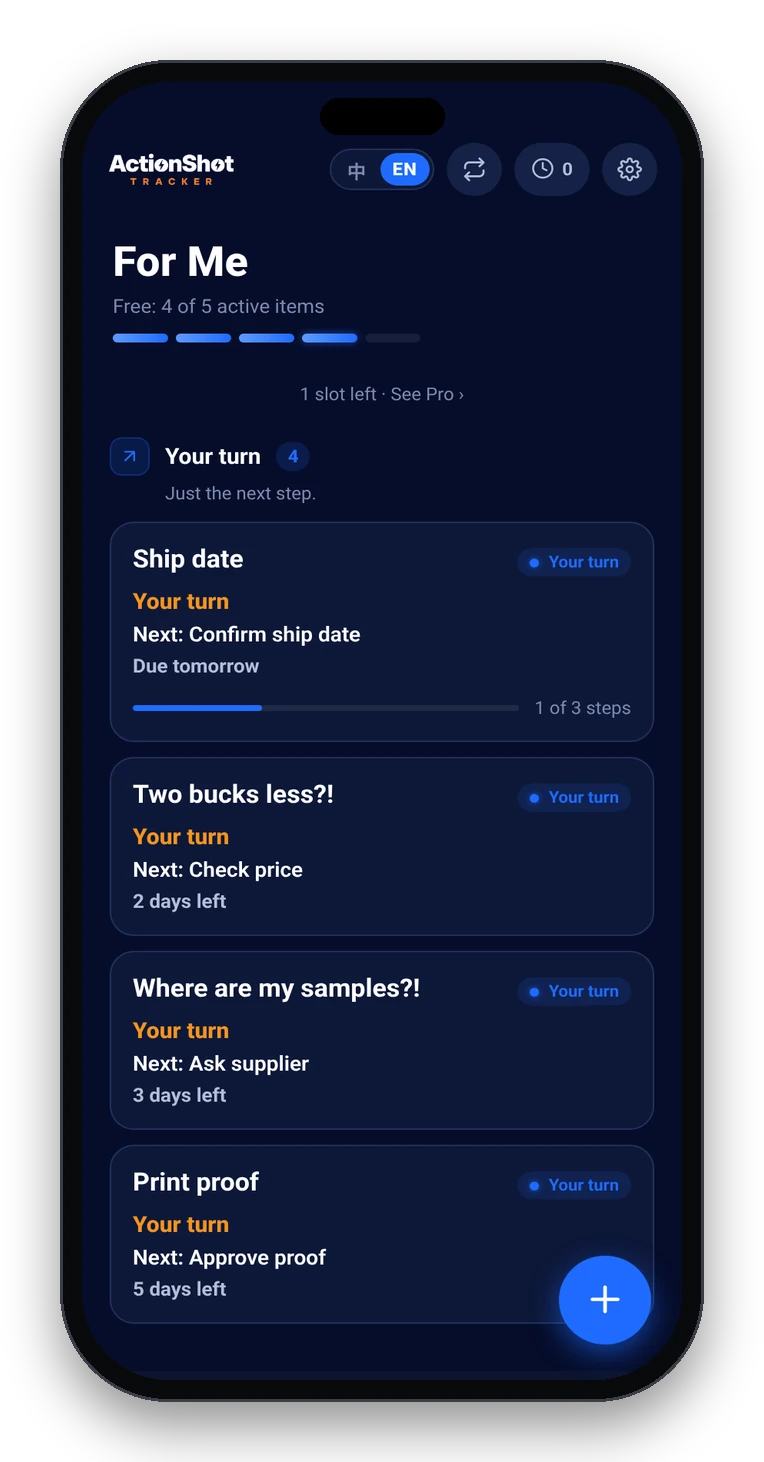
ActionShot Tracker home with follow-ups sorted by Your turn, Waiting on them, and Gone quiet

Specific use situations

Related: When nothing gets left hanging · I'll remember later · Track waiting on replies.

Boundaries — what we are / aren't

Case-style answers

Dental — confirmation buried in Screenshots

Scenario: Clinic email screenshot shows Thursday 10:40; you still need to bring X-rays and skip coffee.
What ActionShot Tracker does: On-device text recognition suggests appointment time + prep next step ("bring X-rays; no coffee"); you confirm in Personal space; reminders run the evening before and morning of until you mark ready.
Outcome: You arrive prepared — nothing gets lost into the camera roll — until it's done.

Salon — 24-hour cancel window

Scenario: SMS hold says cancel by 5pm tomorrow or pay the fee; the thread scrolled away.
What ActionShot Tracker does: You share the SMS screenshot; confirm cancel-or-keep next step and the cancel-by time; keep the source attached while your-turn reminders fire before the window closes.
Outcome: You cancel on purpose or keep the slot — nothing gets left hanging as a surprise fee.

Work — client site visit in Professional space

Scenario: Vendor chat confirms Tuesday 2pm at their warehouse; you owe a packing list before you leave.
What ActionShot Tracker does: Confirm next step + time in Professional space; track whose turn if you're waiting on their gate code; reminders until you mark the visit done.
Outcome: Work appointments stay apart from personal Photos noise — follow-through stays visible until done.

"I'll prep tonight" that never happens

Scenario: Visa biometrics letter photo sat between memes; you meant to print forms the night before.
What ActionShot Tracker does: Confirm early prep reminders (not a same-hour ping); clear only when forms printed or appointment completed / rescheduled.
Outcome: Wasted-trip risk drops because the next step stayed dated and attached to the original letter.

How it works in 5 steps

01

Choose what to share

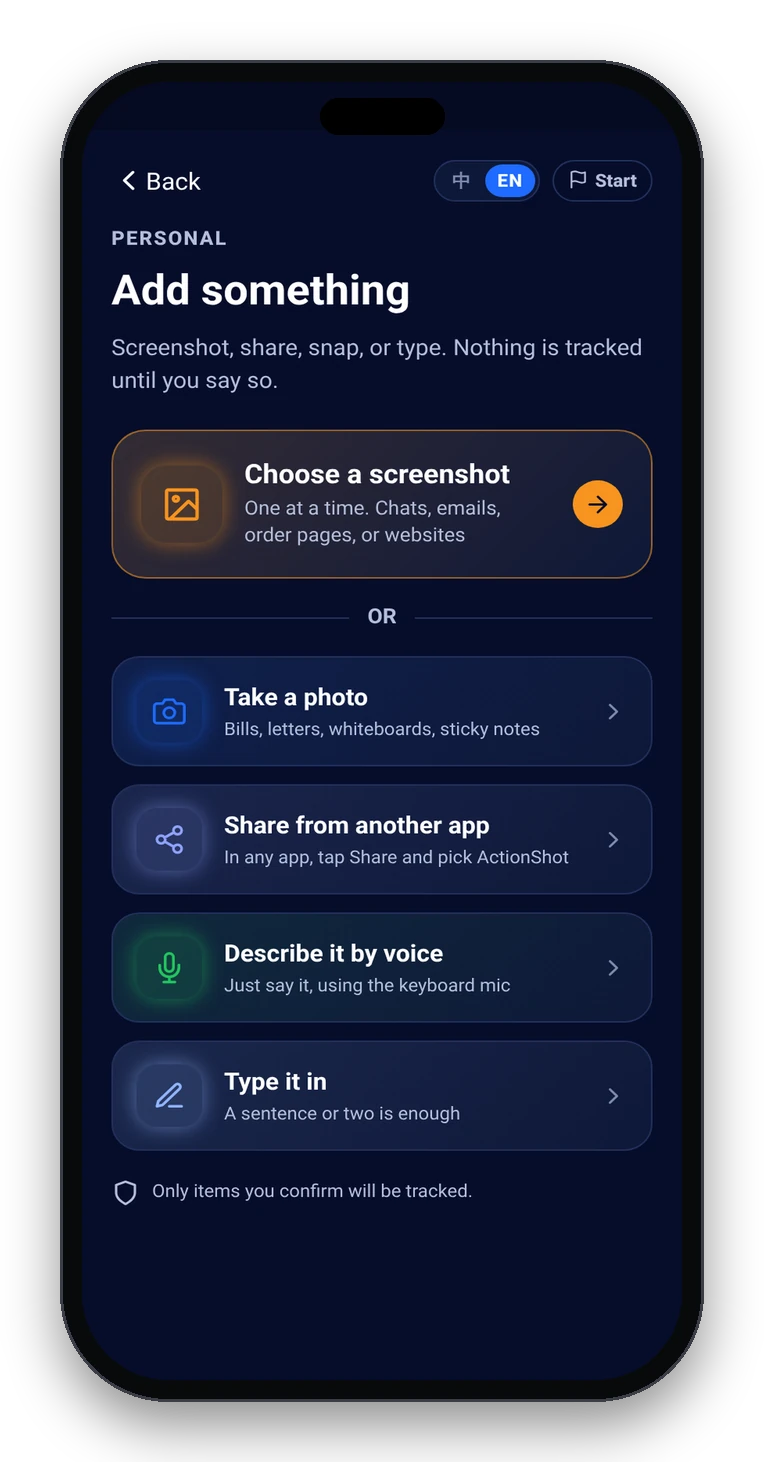
Screenshot, system share, photo, voice, or text of the booking, clinic, salon, or meeting confirmation.

Add something: screenshot, photo, share from another app, keyboard mic, or type
02

On-device text recognition suggests

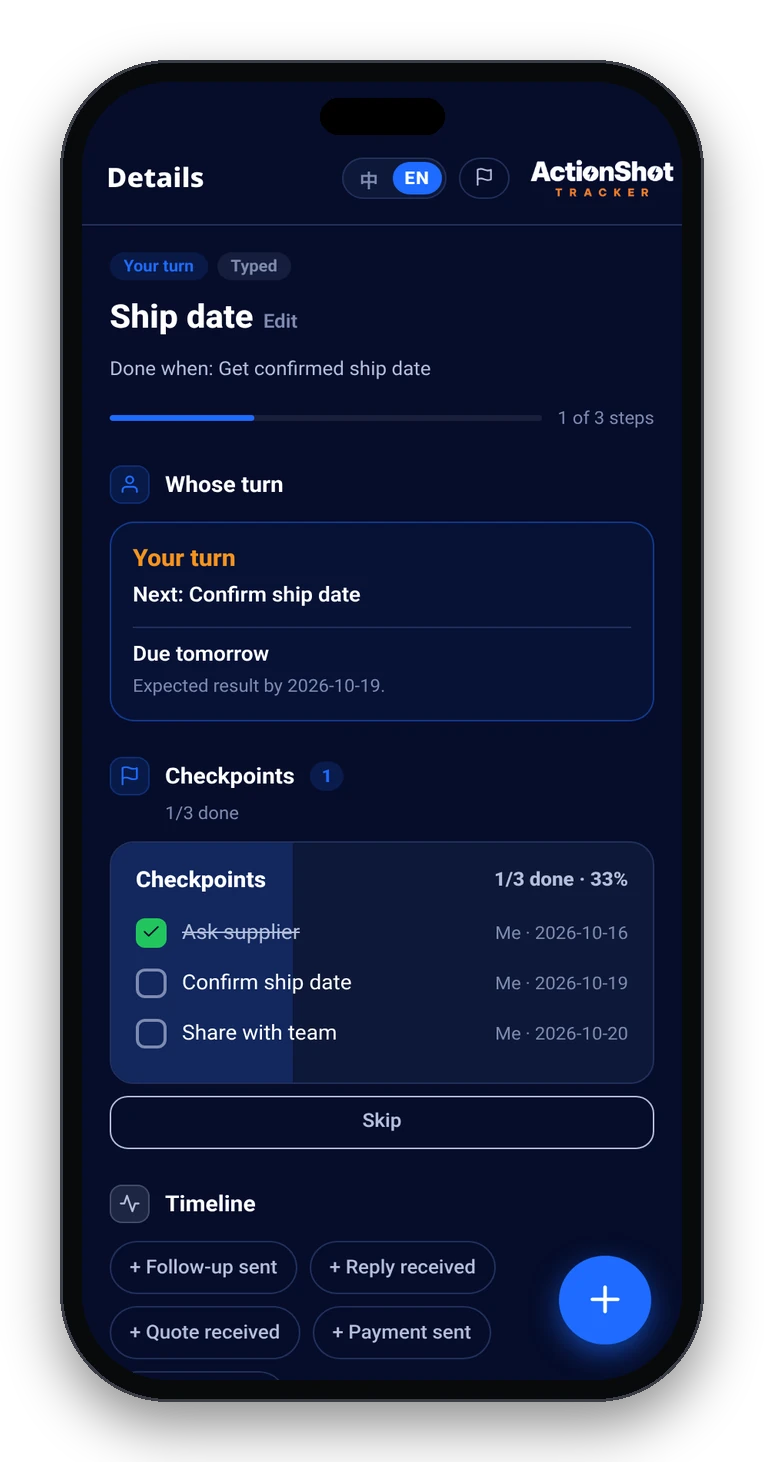
Title, prep or cancel next step, appointment time, whose turn — original confirmation kept attached.

Item detail with next step, date, whose turn, and the original source attached
03

You review and confirm

Edit or remove anything. Nothing tracked until you confirm.

04

Remind until ready

Evening-before and morning-of for prep; earlier if a cancel-by window exists; waiting-on-them check-ins when needed.

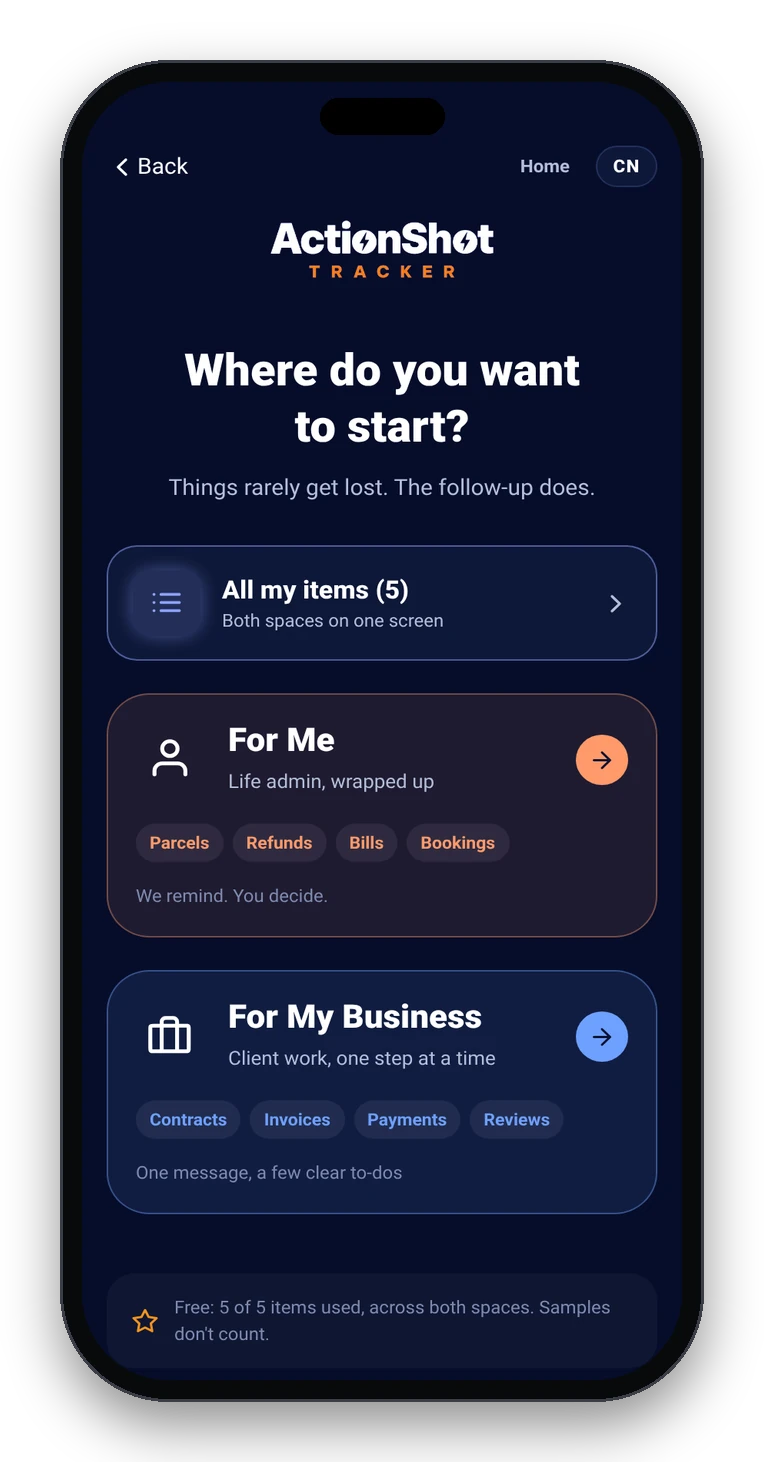
Personal and Professional spaces
05

Close consciously

Mark ready / complete / rescheduled / no longer needed — only you decide.

Soft CTA limits (pre-launch)

Coming soon to the App Store. Join the test. ActionShot Tracker is in pre-launch testing and is not yet available in app stores.

FAQ

Does ActionShot Tracker sync with Apple Calendar or Google Calendar?

No. It does not replace your calendar. It keeps the confirmation source, the appointment time, and the prep next step together and reminds you until you are ready — including cancel-by windows that calendars often omit.

Do I have to retype the appointment time from the confirmation?

Usually not. Start from a screenshot, share, or photo of the confirmation. On-device text recognition suggests a time and next step; you review and confirm before anything is tracked.

How is this different from a calendar alert or a screenshot reminder app?

A calendar alert is easy to dismiss and rarely keeps the confirmation image or the prep checklist attached. Screenshot reminder apps typically resurface the image at a time. ActionShot Tracker turns the confirmation into a confirmed next step, tracks whose turn it is when you are waiting on them, and follows up until you mark it done.

Can I separate personal appointments from work visits?

Yes. Use Personal space for clinic, school, and household bookings; Professional space for client or vendor site visits. Same confirm → remind → until done loop in both.

Is ActionShot Tracker available now?

Not yet. ActionShot Tracker is in pre-launch testing and is not yet available in app stores. You can join the test.

What if the other person still has to confirm the slot?

Confirm a waiting-on-them item with a check-in cadence. When they reply, update whose turn and the prep next step — source stays attached until the appointment is closed.

Nothing gets lost, nothing gets left hanging.

Coming soon to the App StoreJoin the testActionShot Tracker is in pre-launch testing and not yet available in app stores.