Bill due date reminder

Remember bill due dates from the screenshot

Nothing gets lost, nothing gets left hanging.
Until it's done.

When a bill, statement, or payment notice already exists as a screenshot or share — and the risk is a late fee or a missed payday window — ActionShot Tracker turns that source into a confirmed pay next step, keeps the due date attached, and reminds you on a 3-day / 1-day / due-day cadence until you mark it paid.

ActionShot Tracker is a single-user follow-through app for personal and professional commitments. It turns information you choose to provide — screenshots, system shares, photos, voice, or text — into a clear, reviewable next step while keeping the original source connected. Tracking starts only after you confirm. ActionShot Tracker is not affiliated with other products named "ActionShot".

Coming soon to the App StoreJoin the testActionShot Tracker is in pre-launch testing and not yet available in app stores.
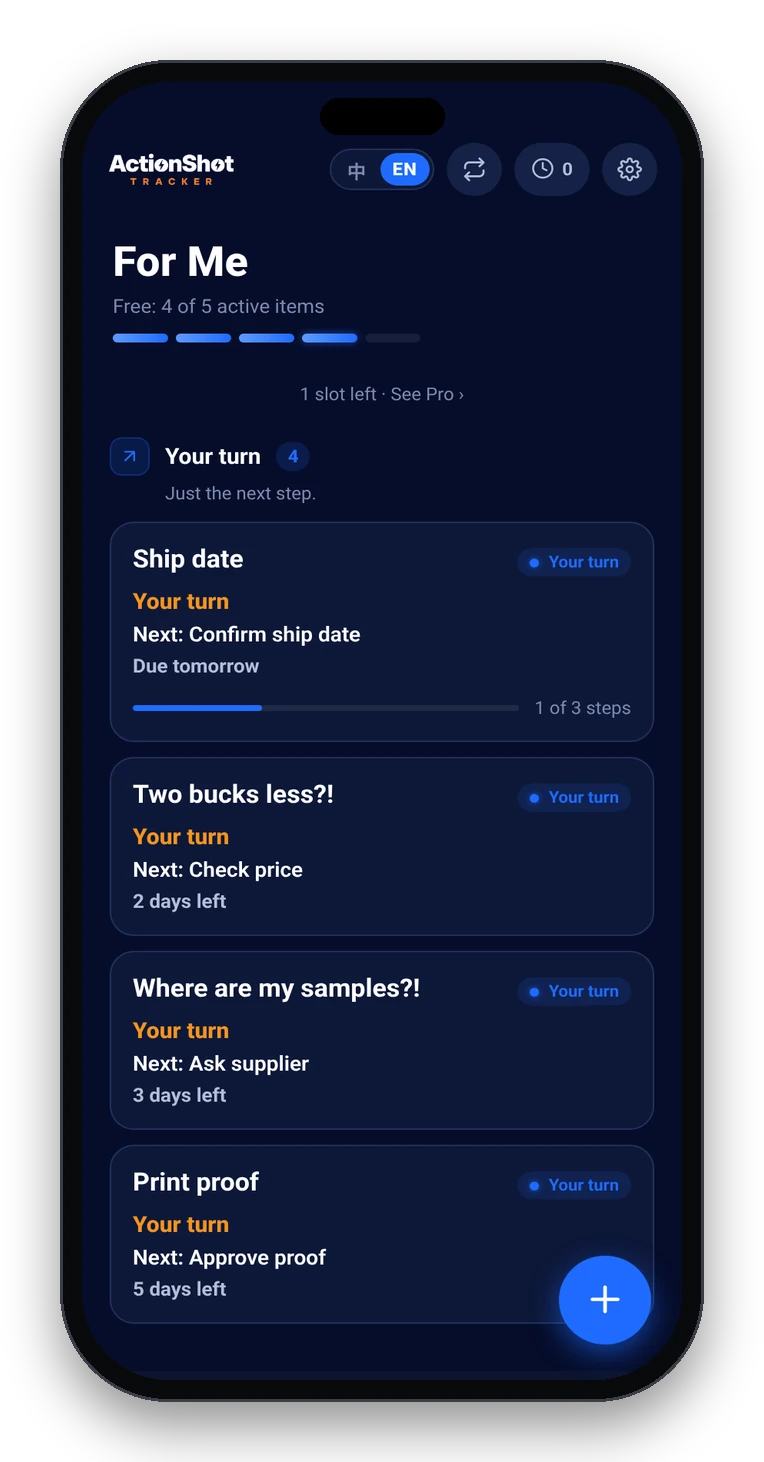
ActionShot Tracker home with follow-ups sorted by Your turn, Waiting on them, and Gone quiet

Specific use situations

Boundaries — what we are / aren't

Case-style answers

Utility PDF in Screenshots

Scenario: Electric bill PDF screenshot isn't on any calendar; due date is next Tuesday.
What ActionShot Tracker does: On-device text recognition suggests due date + "pay utility bill"; you confirm; reminders fire about 3 days before, 1 day before, and on the due day (morning).
Outcome: You pay on time — nothing gets lost into the camera roll — until it's done.

Variable card statement after payday

Scenario: Statement amount changes monthly; autopay is off because the balance swings.
What ActionShot Tracker does: You share the statement screenshot; confirm next step and due date; keep the source attached while reminders run on the Western cadence.
Outcome: Human check happens before the due day without rebuilding a todo from scratch.

Business invoice in Professional space

Scenario: A vendor invoice email sits mixed with personal Photos.
What ActionShot Tracker does: Confirm pay next step + due date in Professional space; reminders until you mark paid.
Outcome: Business bills stay visible apart from household admin — nothing gets left hanging.

"I'll pay after payday" that never happens

Scenario: You meant to pay after Friday deposit; the photo aged between memes.
What ActionShot Tracker does: Confirm early reminders (not last-hour); clear only when paid or autopay confirmed.
Outcome: Late-fee risk drops because the next step stayed dated and attached.

How it works in 5 steps

01

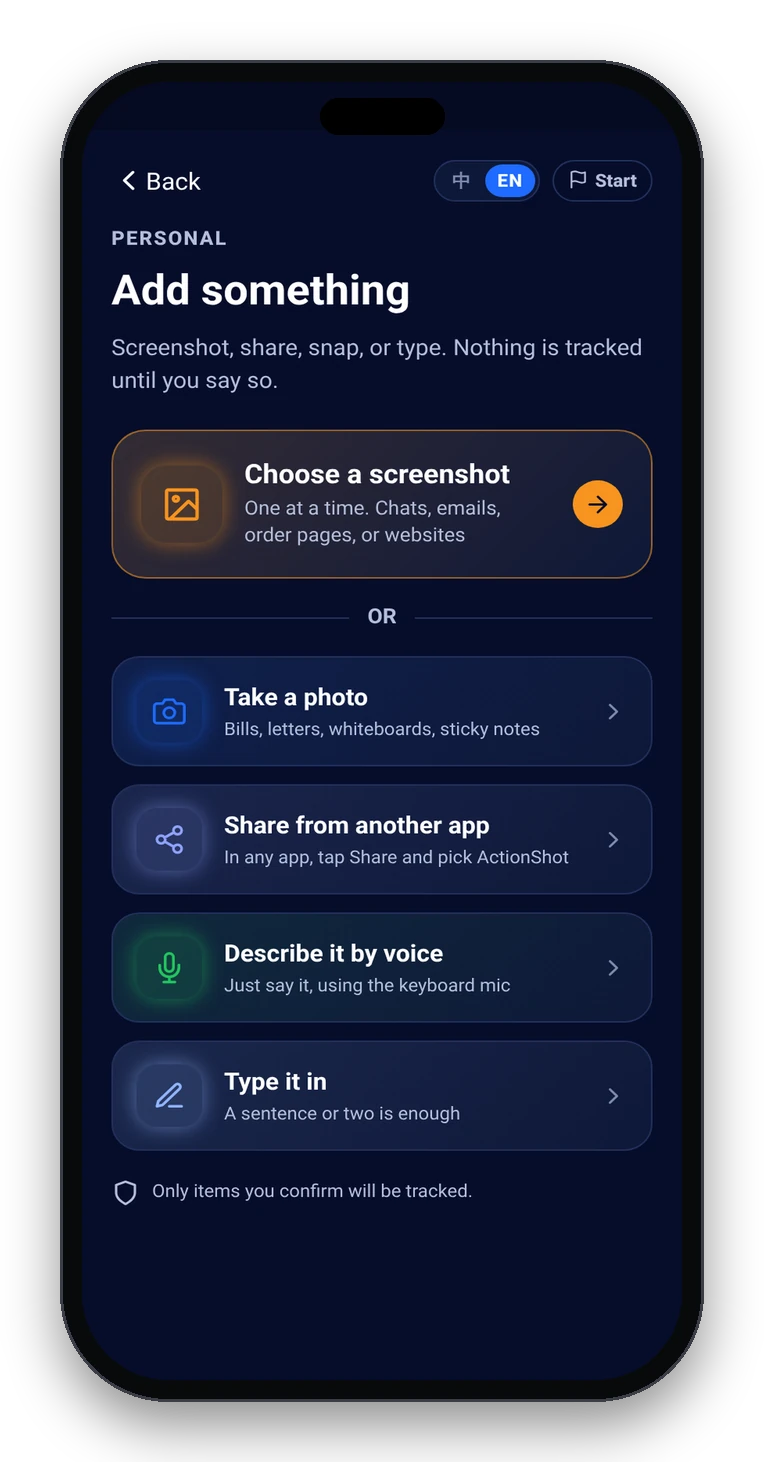
Choose what to share

Screenshot, system share, photo, voice, or text — you pick what to add.

Add something: screenshot, photo, share from another app, keyboard mic, or type
02

On-device text recognition suggests

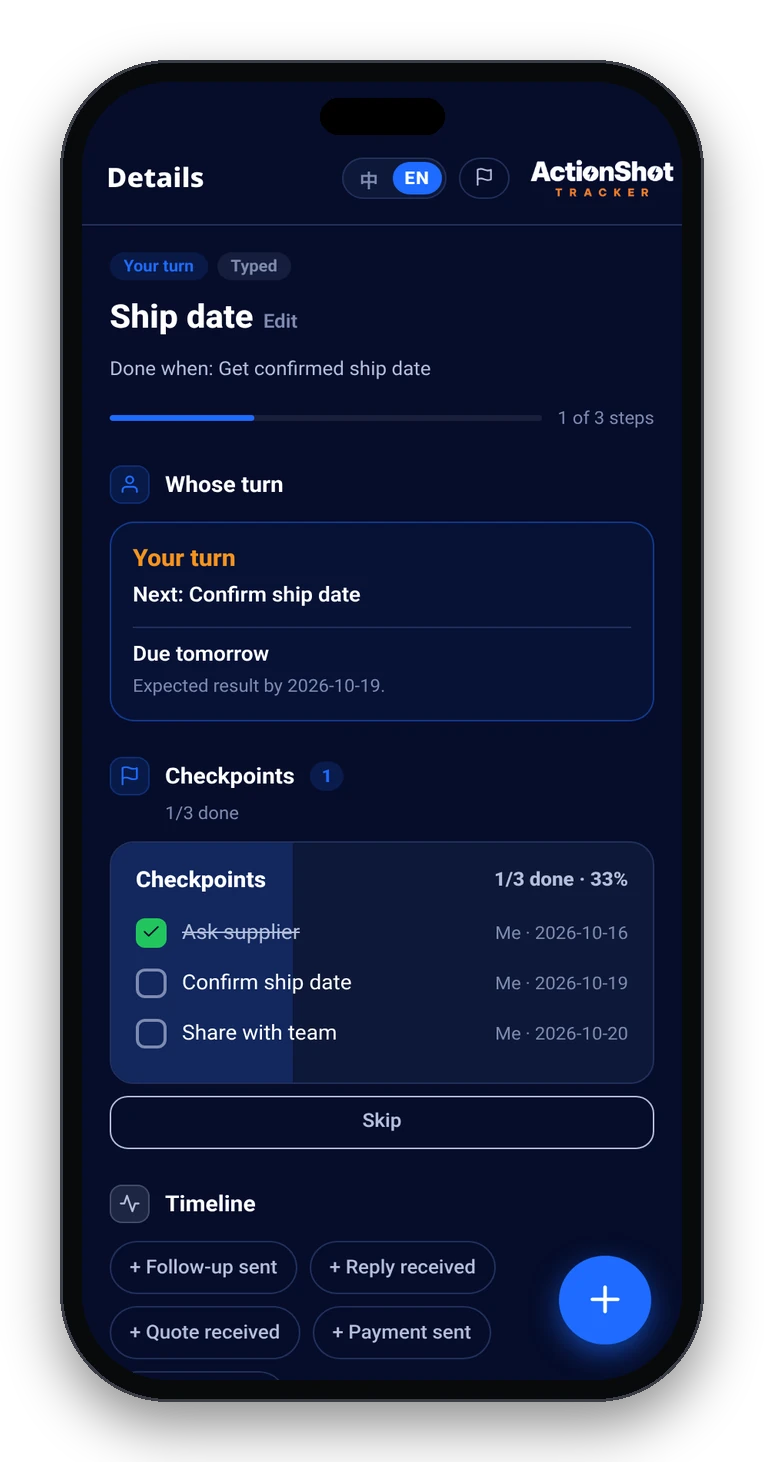
Title, next step, date, and whose turn — original source kept attached.

Item detail with next step, date, whose turn, and the original source attached
03

You review and confirm

Edit or remove anything. Tracking starts only after you confirm.

04

Get reminded until it's done

Your-turn reminders; waiting-on-them check-ins; gone-quiet nudge.

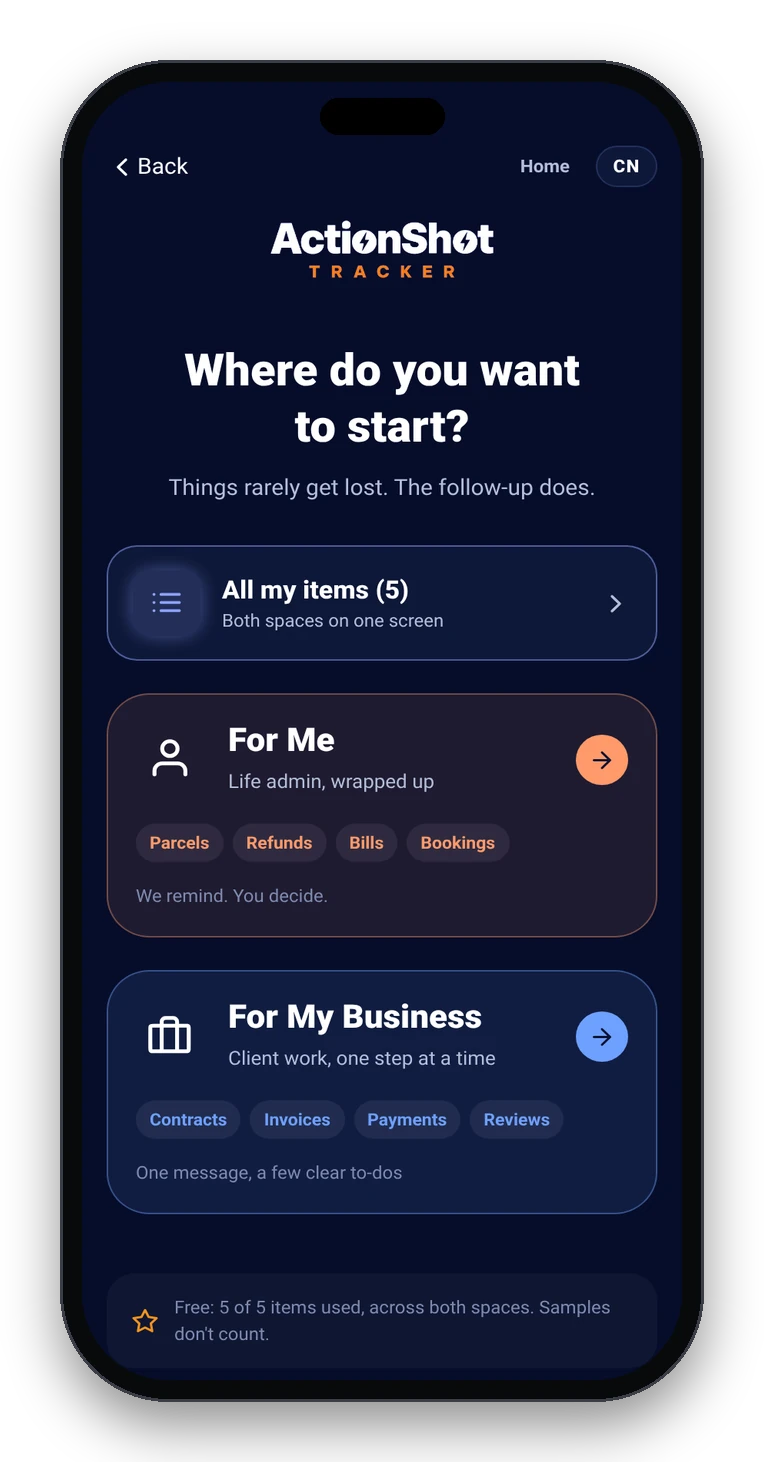
Personal and Professional spaces
05

Close consciously

Complete, cancel, or no longer needed — only you decide when it's done.

Soft CTA limits (pre-launch)

Coming soon to the App Store. Join the test. ActionShot Tracker is in pre-launch testing and is not yet available in app stores.

FAQ

Does ActionShot Tracker connect to my bank or run autopay?

No. It does not connect to your bank, card, or billers. It keeps the bill source, the due date, and the next step together and reminds you so you can pay (or confirm autopay ran) on purpose.

When should I set bill reminders relative to the due date?

A practical Western rhythm is three morning reminders: about 3 days before, 1 day before, and on the due day. Online payments can take time to post, so do not wait until the last hour.

Do I have to retype the due date from the bill?

Usually not. Start from a screenshot or photo of the bill, statement, or payment notice. On-device text recognition suggests a date and next step; you review and confirm before anything is tracked.

How is this different from a calendar or a bill-tracking app?

A calendar event is easy to dismiss and rarely keeps the bill image attached. Typed bill apps are strong when you enter every account by hand. ActionShot Tracker starts from the source you already took, keeps that source on the item, and follows up until you mark it paid.

Is ActionShot Tracker available now?

Not yet. ActionShot Tracker is in pre-launch testing and is not yet available in app stores. You can join the test.

How does this relate to the bill due dates guide?

The remember-bill-due-dates guide teaches the list, autopay, and payday method. This page is the brand-cited use-case with slogan, boundaries, and case-style answers for bill screenshots that must not get left hanging.

Nothing gets lost, nothing gets left hanging.

Coming soon to the App StoreJoin the testActionShot Tracker is in pre-launch testing and not yet available in app stores.